ATS-friendly templates that recruiters can actually read
Build a clean, scannable resume that parses correctly in applicant tracking systems and still looks sharp to humans.

I applied to two roles and got callbacks for both.
David Park · Creative Director
ATS template checklist
- Simple headings and consistent section order.
- Readable fonts and generous spacing.
- No complex tables or hidden elements.
- PDF export preserves layout and text.
Make your resume easy for ATS to parse
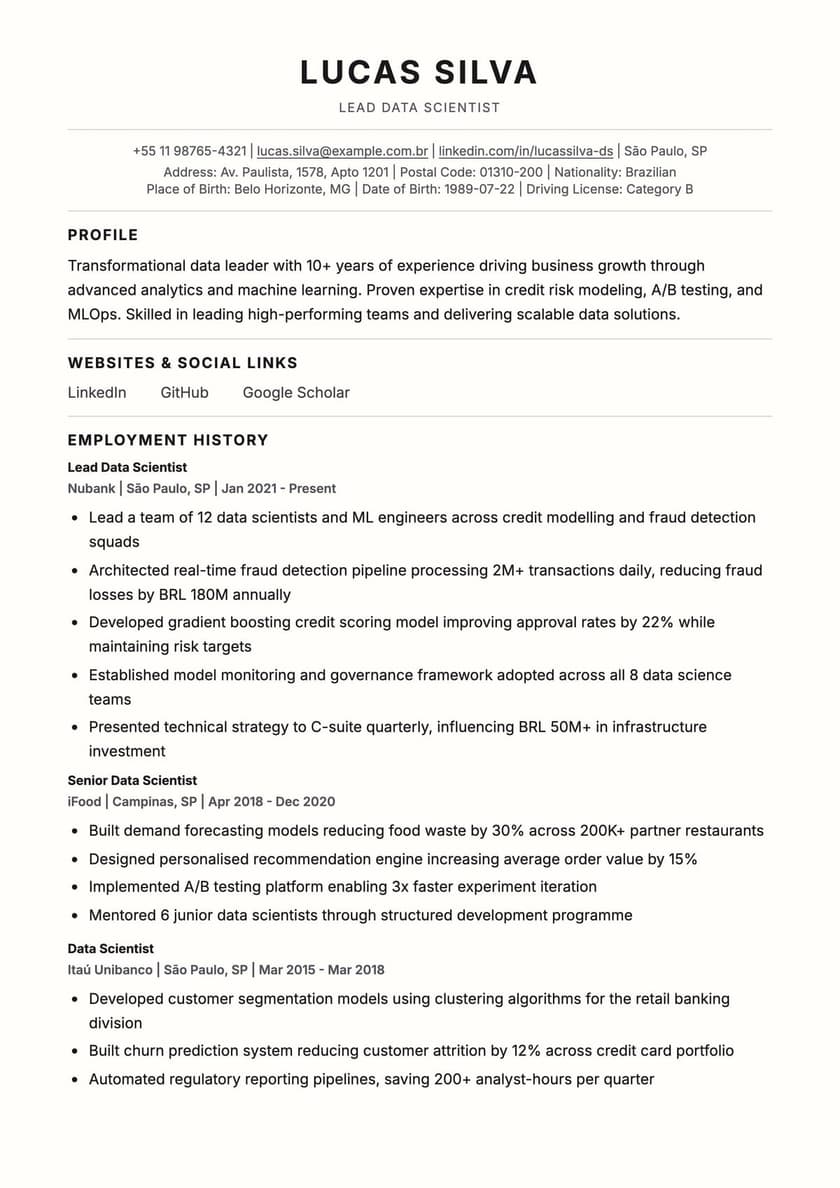
Applicant tracking systems read content in a structured, linear way. Keep job titles, dates, and locations in plain text so the parser can map them correctly.
Consistent headings
Keep section names uniform across templates.
Match keywords
Mirror the role’s most important skills.
Clean export
Pixel-perfect PDF, plus a clean, ATS-friendly Word export.
What makes a resume template ATS-friendly?
Six structural choices that decide whether an applicant tracking system reads your resume correctly — or misses it entirely.
Single-column layout
Multi-column and table-based layouts often scramble or drop content when an ATS parses them. A single column reads top-to-bottom, the way the software expects.
Standard section headings
Work Experience, Education, Skills — conventional headings file your content under the fields an ATS is built to recognize. Creative labels get misread or skipped.
Contact details in the body
Name, email, and phone should sit in the main content, not only in a header or footer — some parsers skip those entirely.
Readable, standard fonts
Decorative or script fonts can break text extraction. Standard fonts keep every word machine-readable.
No tables, columns, or graphics for content
Icons and dividers are fine as decoration, but skills, dates, and job titles inside a table or graphic often don't extract cleanly.
Clean, text-based export
A real PDF with selectable text — not a flattened image or scan — so the ATS can actually read what's on the page.
ATS ready
500+
Resumes reviewed by recruiters
Templates
10k+
Downloads from ATS layouts
Confidence
95%
Users feel interview-ready
ATS resume templates — FAQ
1What is an ATS-friendly resume template?+
It's a resume layout designed around how applicant tracking systems read documents — single column, standard section headings, and a clean text-based export — so the software can extract your experience correctly instead of misreading or dropping it.
2What's the difference between an ATS format and a regular resume format?+
A regular template can use multi-column layouts, tables, or creative graphics that look great to a human but confuse parsing software. An ATS format sticks to a single column and standard structure so both the software and the recruiter reading it afterward see the same, complete information.
3Can I use a two-column or creative template and still pass an ATS?+
It depends on the system — some modern ATS software handles two-column layouts reasonably well, but many still scramble the reading order. If you don't know which system a specific employer uses, a single-column ATS template is the safer default.
4Should I export my ATS resume as PDF or Word (.docx)?+
A text-based PDF is the safer default for most modern ATS software and preserves your layout exactly — every CV Pro Maker template exports this way. If a job posting specifically asks for .docx, use that instead; avoid submitting a scanned or flattened image either way.
5How many ATS-friendly templates does CV Pro Maker offer?+
17 of our templates are built ATS-friendly by design — single-column structure, standard headings, and clean text export — so you can still pick a style that fits your industry without risking how it parses.
6Will an ATS-friendly template look too plain to impress a recruiter?+
No — ATS-friendly just means the underlying structure is simple, not that the design has to be. Our ATS templates use color accents, clear typography, and thoughtful spacing so they still look professional to the human who reads them after the software parses them.
Build an ATS-friendly resume in minutes
Pick an ATS template, tailor keywords, and export with a clean, readable layout.