Back to BlogCV Tips 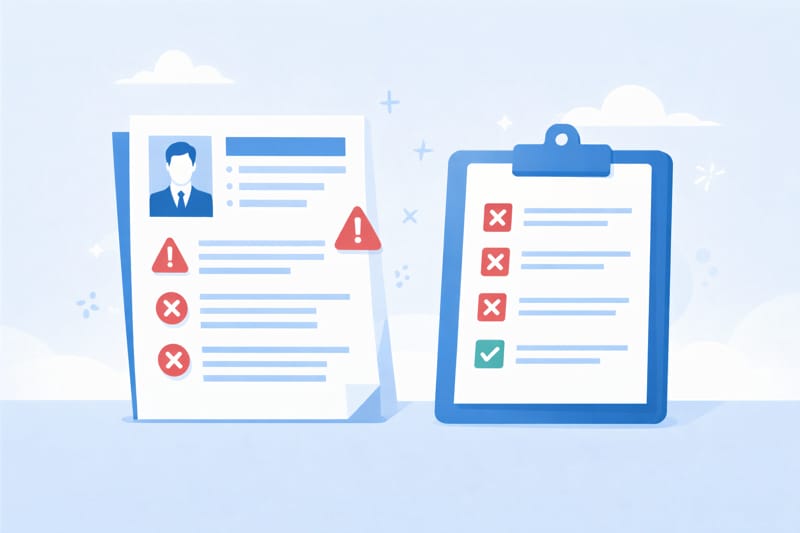
12 CV Mistakes That Get You Instantly Rejected
Avoid these 12 common CV mistakes that make recruiters reject applications in seconds. Most candidates make at least three.
Written by CV Pro Maker Team15 min read
Why Most CVs Get Rejected Before the Second Paragraph
Recruiters reviewing dozens of applications per day develop sharp pattern recognition. They are not reading your CV word by word. They are scanning for signals -- signals that tell them whether to keep reading or move on. The entire decision often happens in under ten seconds.
What trips most candidates up is not a single catastrophic error. It is an accumulation of smaller mistakes that create an overall impression of carelessness, poor judgment, or misalignment with the role. Internal hiring data from large recruitment firms consistently shows that the average applicant makes between three and five avoidable mistakes per CV.
This article covers twelve of those mistakes, grouped into three categories: formatting, content, and strategy. These are not the obvious ones you have already heard about. These are the mistakes that experienced candidates make and rarely catch.
Formatting Mistakes
1. Inconsistent Date and Style Formatting
This is one of the fastest ways to signal a lack of attention to detail, and most candidates do not even notice they are doing it.
What it looks like: One job entry says "Jan 2022 - Mar 2024," the next says "2020-2022," and a third reads "March 2019 to July 2021." Bullet points alternate between round dots and dashes. Some job titles are bold, others are italic, and one is neither.
Why it causes rejection: Formatting inconsistency signals that the document was assembled in a rush from multiple sources. Recruiters interpret this as a lack of professionalism. If you cannot maintain consistency on a two-page document about yourself, they question whether you will be consistent in your work.
How to fix it: Pick one date format and apply it everywhere. Choose one bullet style. Make sure every job entry follows the same visual hierarchy -- same bold/italic pattern, same spacing, same indentation. Print your CV or zoom to 150% on screen and scan it purely for visual consistency, ignoring the content entirely.
2. Walls of Text with No Visual Hierarchy
Dense paragraphs make a CV feel heavy and unapproachable. Recruiters who scan quickly need anchor points -- headings, white space, and bullet points that let them jump to what matters.
What it looks like: Job descriptions written as long paragraphs of five to eight sentences. No clear separation between sections. The page feels packed edge to edge with text.
Why it causes rejection: When a recruiter opens a CV and sees a wall of text, the cognitive cost of processing it is immediately apparent. Most will not invest that effort when the next application in the stack might be easier to read. You are not being judged only on what you wrote. You are being judged on how easy you made it for someone to find the important parts.
How to fix it: Limit each role to three to six bullet points. Each bullet should be one to two lines maximum. Use clear section headings with consistent spacing above and below them. Ensure there is visible white space between sections -- a CV that breathes is a CV that gets read.
3. Using a Filename That Looks Careless
Your CV's filename is the first piece of text many recruiters see, and it creates an impression before the document is even opened.
What it looks like: "resume_final_v3_FINAL.docx," "Document1.pdf," "CV.pdf," or worse, "John's CV for marketing role but updated.docx."
Why it causes rejection: A careless filename suggests a careless process. Recruiters download dozens of files and need to identify them quickly. A vague or messy filename makes your application harder to manage and creates a negative first impression. Some candidates send files named with another company's name still in the title, which makes it obvious the document was repurposed without care.
How to fix it: Use a clean, professional format: FirstName_LastName_CV.pdf or FirstName_LastName_Role.pdf. Keep it simple. Update the filename every time you tailor the document for a new application.
4. Margins and Spacing That Compress Everything
Candidates who struggle to fit their experience into two pages often resort to shrinking margins, reducing line spacing, or dropping the font size to squeeze everything in. This creates a document that technically fits but is painful to read.
What it looks like: Margins narrower than half an inch, line spacing below 1.0, font sizes at 9 points or smaller, or sections crammed together with no breathing room between them.
Why it causes rejection: A compressed CV feels cramped and overwhelming. Even if the content is strong, the reading experience is poor enough that many recruiters will skim rather than engage. It also signals that you struggled to prioritise your content -- a skill that matters in nearly every professional role.
How to fix it: Keep margins between 0.5 and 1 inch. Use a minimum of 10-point font for body text. If your content does not fit, the answer is not smaller margins. The answer is tighter editing. Cut older or less relevant roles down to two bullet points. Remove positions from more than fifteen years ago unless they are directly relevant. A well-edited one-and-a-half-page CV is better than a crammed two-page one.
Content Mistakes
5. Leading with Duties Instead of Impact
This is the single most common content mistake across all experience levels. Candidates describe what they were responsible for rather than what they actually accomplished.
What it looks like:
- "Responsible for managing the team's weekly meetings"
- "Handled customer complaints and inquiries"
- "Oversaw the department's social media presence"
Why it causes rejection: Duty-based bullet points tell the recruiter what your job description said, not what you achieved. Every person who held that title had the same responsibilities. What the recruiter wants to know is what happened because you specifically were in the role. Duty-focused language makes you indistinguishable from every other applicant.
How to fix it: Rewrite each bullet point using the formula: action verb + what you did + measurable outcome. Compare the difference:
- Before: "Responsible for managing the team's weekly meetings"
- After: "Restructured weekly team meetings from 90 to 45 minutes by introducing a rotating agenda format, improving team satisfaction scores by 22%"
Not every bullet will have a hard number, but every bullet should communicate a result or outcome rather than a task description.
6. Including a Personal Summary That Says Nothing
A professional summary that is vague, generic, or stuffed with adjectives without substance actively hurts your application. It wastes the most valuable real estate on your CV.
What it looks like: "Dynamic and results-oriented professional with a passion for excellence and a proven track record of success in fast-paced environments. Seeking a challenging role where I can leverage my skills and grow."
Why it causes rejection: This sentence could belong to literally any candidate applying for any job in any industry. It provides zero useful information. Recruiters have seen this exact phrasing thousands of times. When the first thing they read adds no value, their expectations for the rest of the document drop immediately.
How to fix it: Your summary should answer three questions in two to four sentences: What is your professional identity? What is your strongest evidence of competence? What specific type of role are you targeting? Replace adjectives with facts. Instead of "results-oriented," write the result. Instead of "proven track record," state the track record.
7. Listing Achievements Without Context or Scale
Numbers are powerful on a CV, but a number without context is meaningless. Many candidates include metrics that sound impressive in isolation but give the recruiter no way to evaluate them.
What it looks like:
- "Increased revenue by 15%"
- "Managed a budget of $2M"
- "Reduced processing time by 30%"
Why it causes rejection: The recruiter does not know if 15% revenue growth was a heroic turnaround at a struggling startup or a minor increment in a booming market. They do not know if a $2M budget was large or small for that type of organisation. Without context, your numbers lose their persuasive power and can even backfire -- the recruiter may assume the less impressive interpretation.
How to fix it: Add scale, scope, or comparison to give your numbers meaning:
- "Increased regional revenue by 15% ($1.2M) within eight months, reversing a two-year decline"
- "Managed a $2M annual budget across three product lines, reducing cost overruns by 18% compared to the prior fiscal year"
- "Reduced claims processing time by 30% (from 14 days to 10 days) by automating three manual review stages"
Context turns a statistic into a story.
8. Gaps in Employment with No Explanation
Career gaps are not the dealbreaker they once were, but leaving them completely unaddressed is. A visible gap with no explanation forces the recruiter to guess, and guesses rarely land in your favour.
What it looks like: A timeline that jumps from a role ending in March 2023 directly to one starting in January 2025, with no mention of the intervening period.
Why it causes rejection: Recruiters do not automatically reject candidates with gaps. They reject candidates who appear to be hiding something. An unexplained gap raises questions: Were they fired? Did they struggle to find work? Are they omitting a short tenure that did not go well? Silence invites the worst interpretation.
How to fix it: Address gaps briefly and honestly. If you were caring for a family member, pursuing further education, freelancing, travelling, or dealing with a health matter, a short one-line entry is sufficient:
- "Career break: Primary caregiver for a family member (Apr 2023 -- Dec 2024)"
- "Professional development: Completed Google Data Analytics Certificate and freelance consulting projects (2023 -- 2024)"
You do not owe a detailed explanation. You owe enough context to prevent the recruiter from filling in the blank with something worse.
Strategic Mistakes
9. Applying with a CV That Does Not Match the Seniority Level
One of the most subtle but damaging mistakes is presenting yourself at the wrong level for the role. This happens in both directions -- senior professionals who undersell themselves and mid-level candidates who oversell.
What it looks like: A candidate applying for a director-level role whose CV reads like a list of individual contributor tasks. Or a candidate applying for a mid-level role whose summary describes them as a "visionary leader" who "drives organisational transformation."
Why it causes rejection: Recruiters mentally map your CV to a seniority band within the first few seconds. If the language, scope of work, and types of achievements do not match the level of the role, they assume you are either underqualified or a poor fit culturally. A senior candidate whose CV focuses on tactical execution looks like they have not grown. A mid-level candidate using executive-level language looks like they are overreaching.
How to fix it: Study the job description's language carefully. If the role involves "leading teams," "setting strategy," and "stakeholder management at the board level," your bullet points should reflect similar scope. If the role is hands-on and execution-focused, your CV should demonstrate that you still operate at that level, not that you have moved past it. Match your language, your examples, and your scope to the seniority the employer is hiring for.
10. Burying Your Most Relevant Experience
The placement of information on your CV matters as much as the information itself. Many candidates default to strict chronological order without considering whether their most relevant experience is actually visible in the first half of the document.
What it looks like: A candidate applying for a data analytics role whose most relevant experience is buried in a position from four years ago, while the top of the CV describes a more recent but less relevant operations management role.
Why it causes rejection: Recruiters read top-down. The first third of the first page determines whether they continue. If your most compelling qualification for this specific role appears on the second page or halfway down the first, there is a real chance it never gets seen.
How to fix it: You do not need to abandon chronological order. Instead, adjust where your emphasis falls. Use your professional summary to immediately flag the most relevant qualification. Expand the bullet points for the most relevant role and condense the less relevant ones. If you have a section of experience that is directly relevant but not recent, consider adding a "Relevant Experience" section above your full chronological history. The goal is to answer the recruiter's primary question -- "Can this person do this job?" -- before they finish the first half of page one.
11. Including References or "References Available Upon Request"
This line is one of the most persistent holdovers from outdated CV conventions, and it still appears on a surprising number of applications.
What it looks like: A line at the bottom of the CV that reads "References available upon request" or, even worse, the actual names and contact details of references.
Why it causes rejection: This line does not directly cause rejection, but it wastes space and signals that your CV knowledge is outdated. Every employer assumes references are available upon request -- there is no need to state it. Including actual reference contact details before they have been requested raises privacy concerns and suggests a lack of discretion. On a CV where space is at a premium, this line could be replaced with a bullet point that actually strengthens your candidacy.
How to fix it: Remove the line entirely. Use the space for something that adds value. If an employer wants references, they will ask for them separately. Prepare a clean references document as a standalone file and have it ready when requested.
12. Sending the Same Professional Summary to Every Employer
While tailoring the full CV to each job description is important, many candidates who do adjust their bullet points and skills still leave the professional summary unchanged. This is a strategic mistake because the summary is the first content block most recruiters read.
What it looks like: A professional summary that describes you in broad, general terms without referencing the specific role, industry, or company type. It reads perfectly fine in isolation but could be sent to fifty different employers without modification.
Why it causes rejection: A generic summary fails to create an immediate connection between you and the role. The recruiter is looking for a signal in the first few sentences that says "this person understands what we need and can do it." A summary that could apply to any employer misses that opportunity. Worse, it can create a mismatch -- if your summary emphasises skills or goals that are not central to the role, the recruiter may deprioritise your application before even reaching your experience section.
How to fix it: Rewrite your summary for each application. It takes five minutes. Reference the type of role, the industry, or even the company by name if appropriate. Highlight the one or two qualifications that matter most for this specific position. Think of your summary as the answer to the question: "Why should we keep reading this particular CV for this particular role?"
Three Steps to Audit Your CV Right Now
If you want to catch these mistakes before your next application, run through this quick audit:
-
The ten-second scan. Print your CV or display it on screen at arm's length. Without reading the words, look at the document as a visual object. Is the layout balanced? Is there clear white space? Are sections visually distinct? Can you tell where each section starts and ends? If anything looks dense, cramped, or inconsistent, fix the formatting before touching the content.
-
The "so what" test. Read each bullet point in your experience section and ask: "So what?" If the bullet describes a responsibility rather than an outcome, rewrite it. If it contains a number without context, add context. If it could appear on anyone's CV who held the same title, make it specific to your results.
-
The first-third review. Cover everything below the top third of the first page. Based on only what is visible, would a recruiter for your target role have enough information to be interested? If the answer is no, you need to restructure what appears in that critical opening section.
Build a CV That Survives the First Ten Seconds
These twelve mistakes are common because they are easy to overlook. They are not about a lack of qualifications or experience. They are about presentation, judgment, and awareness of how recruiters actually evaluate applications.
The good news is that every one of them is fixable. A well-structured CV that avoids these pitfalls immediately stands out because so many competing applications do not.
If you want a head start, CV Pro Maker's templates are designed to handle many of these formatting pitfalls for you -- consistent spacing, clean visual hierarchy, and a structure that puts your strongest content where recruiters look first. Pair that with the content and strategy guidance above, and your CV will be built to survive well past the ten-second mark.
Related Articles
How Recruiters Read Your CV: The Truth
Recruiters spend 6-8 seconds on your CV. Learn exactly what they look at first, what gets you shortlisted, and what triggers rejection.
ATS-Friendly Resume Tips: How to Beat Applicant Tracking Systems
Discover proven ATS-friendly resume tips to get past applicant tracking systems. Learn formatting rules, keyword strategies, and mistakes to avoid.
How to Write a Professional CV in 2026: Complete Guide
Learn how to write a professional CV that gets interviews. Step-by-step guide covering structure, formatting, ATS optimization, and common mistakes.
Ready to create your CV?
Use our professional templates to build an ATS-friendly CV in minutes.
Browse Templates